
Automatic Notifications Based On Mileage / Hours
Stay ahead of vehicle maintenance with our new automatic service alert system! Now, when a vehicle reaches its next scheduled mileage or hours threshold (odometer, engine hours, pump hours, or aerial hours), the system will automatically notify you and prompt the creation of a Service Due Alert. You can easily view and manage upcoming service needs directly from vehicle details, reports, and checklists. Closing an alert lets you set the next service threshold, ensuring your fleet stays on track with maintenance. Check out this article and the video below for more details.
💡This update streamlines maintenance tracking, reduces manual oversight, and helps prevent missed service intervals—keeping your vehicles safer and more reliable.
Instantly Find Tasks with New Search Bars
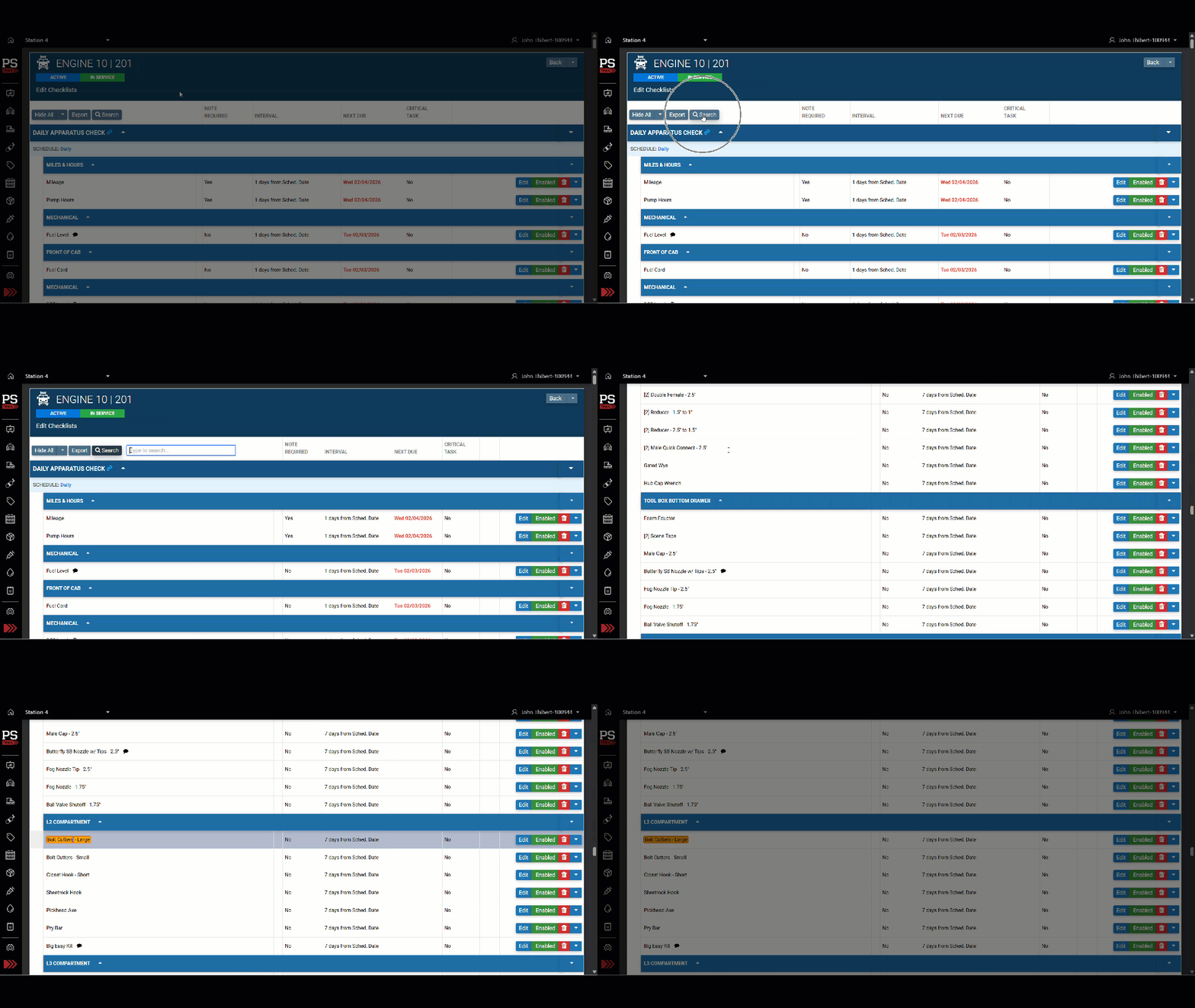
You can now quickly search for keywords on the Vehicle & Station Scheduled Checks, As-Needed Checks, and Edit Checklist pages. Just click the new "Search" button to highlight results and easily jump between matches—making it faster than ever to find what you need on long checklists.
Search PPE Gear by Serial ID—Now for All Users
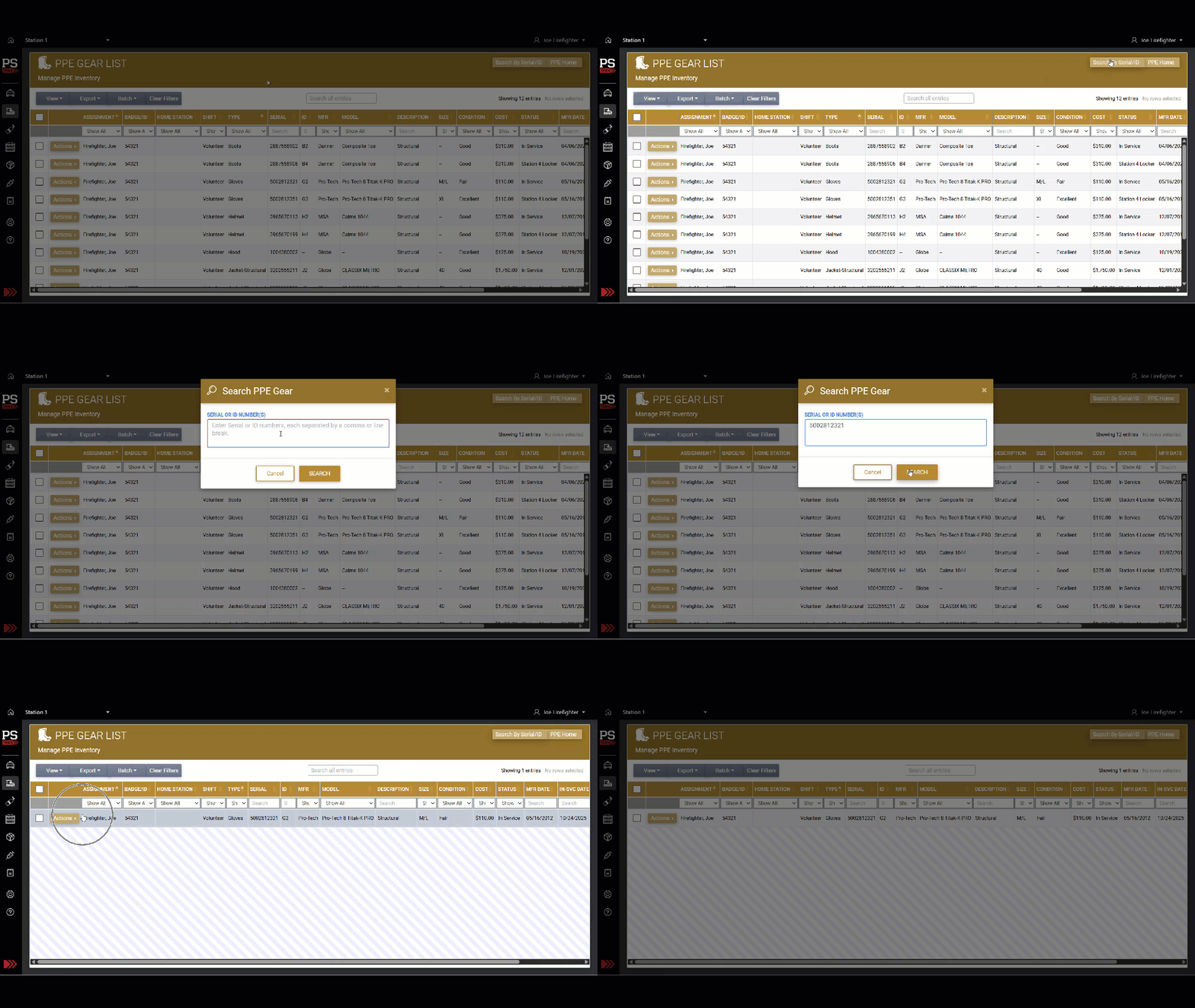
PPE Users can now search for gear by serial or ID number directly from the PPE Gear List page. Previously, this feature was only available to PPE Admins and Technicians. Simply click the new "Search by Serial/ID" button to quickly locate specific gear items.
Sort Your CS Transaction Logs with Ease
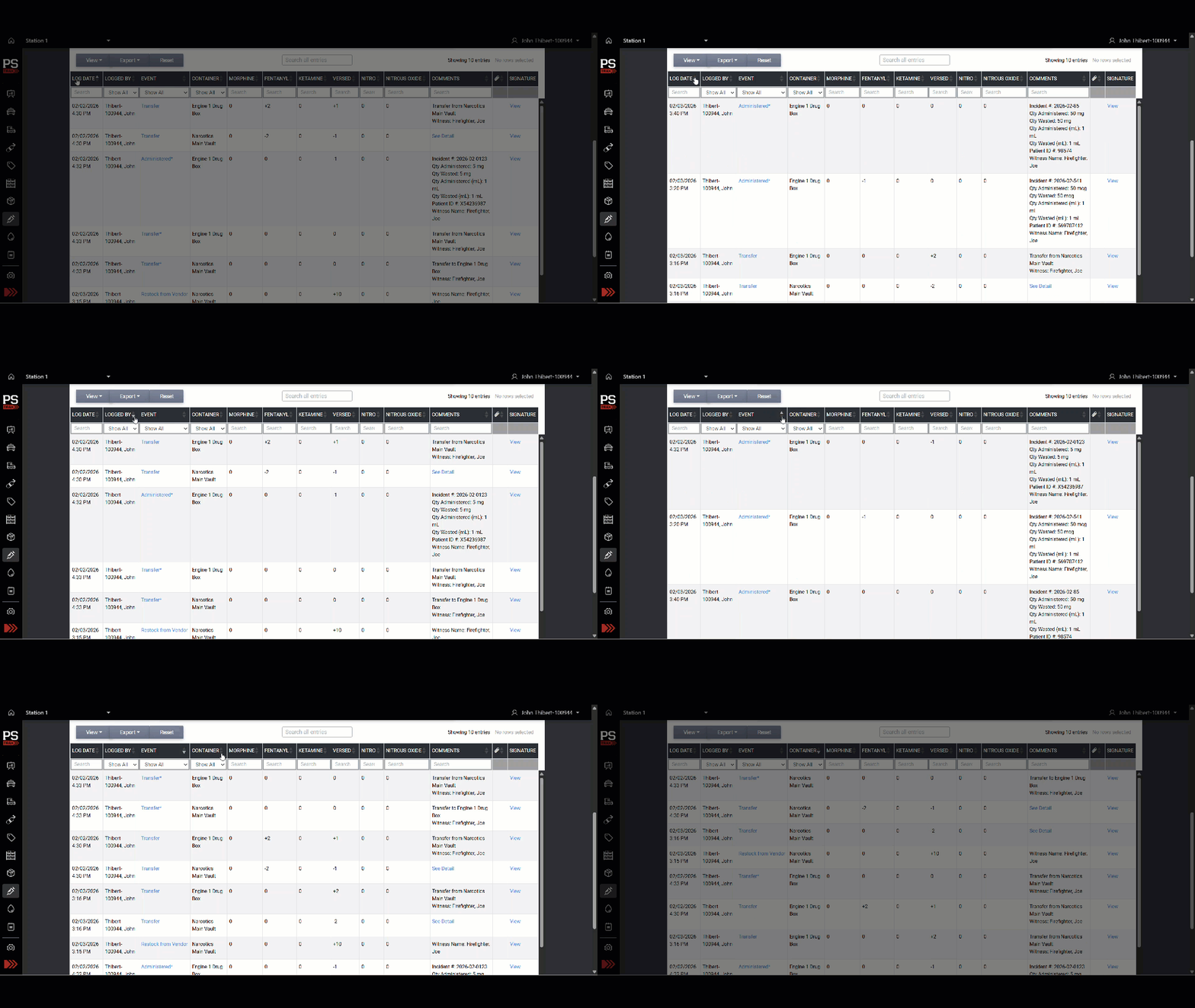
You can now sort almost every column in the CS Transaction Log by simply clicking the column header. Toggle between ascending and descending order to quickly find the information you need. This enhancement makes it easier to review and analyze your data.
Enhanced Audit Trail for Controlled Substance Logs
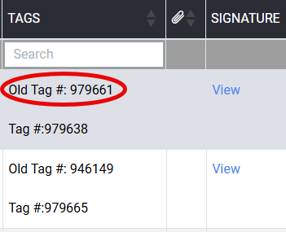
If your agency utilizes tag numbers - and is set up to input both the previous tag and the current tag on their CS events - the "Old Tag #" is now visible in Controlled Substance Transaction Logs. This update ensures a transparent audit trail, supports regulatory compliance, and simplifies historical tracking.
Other Features, Enhancements & Bug Fixes
-
Enter Expiration Dates Faster: You can now type expiration dates directly into the "Exp. Date" field when logging inventory or restocking supplies. This makes it much quicker to enter dates—especially those far into the future—while still allowing you to use the calendar picker if you prefer.
-
Journal Feed Now Shows Newest Posts First: We fixed an issue where new Journal entries were appearing at the bottom of the feed instead of directly under pinned posts. The fix ensures that Journal posts display first by pinned posts (newest to oldest), then by newest non-pinned posts, with the most recent updates always at the top for easy access.
-
Checklist Automations Now Trigger for All Managers: We fixed an issue where checklist automations did not activate or deactivate when vehicles were moved out of service by Apparatus Managers, in cases where the activate/deactivate checklist options was hidden from Apparatus Managers. Now the dashboard will always reflect the correct task requirements based on vehicle status, regardless of the manager’s permission level.
-
Fixed Editing and Commenting for Asset Alerts: We resolved an issue that prevented some users from opening the Edit or Add Comment windows for certain asset alerts. You can now edit alerts and add comments as expected across all relevant pages, including Open Alerts, Alert Archive, and the Station Home page.
- All Drug Types Now Shown in Multi-Item Alerts: We fixed an issue where alerts and email notifications only listed the first drug type when multiple controlled substances were removed in a single transaction. Now, all drug types, quantities, and vial details are clearly displayed in both the alert dashboard and email notifications, giving you complete visibility for every transaction.
- Accurate Timestamps on Exported Gear and Asset Lists: Exported and printed gear and asset lists now display the exact time the document was generated, rather than the last page refresh. This ensures your records are always up-to-date and compliant for auditing and documentation purposes.
- No More Duplicate Names in CS Alert Recipients: We fixed an issue where some users appeared multiple times in the "Additional Recipients" list when adding comments to Controlled Substance (CS) Alerts. Now, each user will only appear once, making it easier and clearer to select the right recipients.